
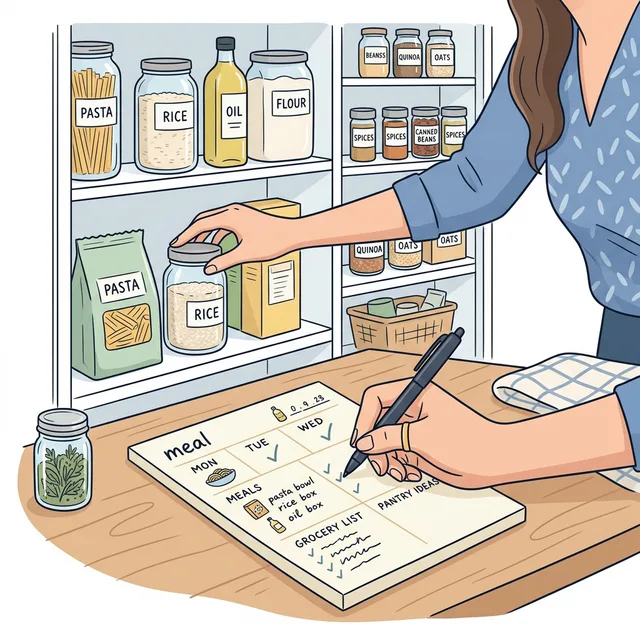
How to Plan Meals with What You Already Have
Plan meals with what you already have so fewer groceries get duplicated, forgotten, or wasted.
How to plan meals with what you already have
If you are trying to plan meals with what you already have, the core move is simple: check real inventory first, then build meals around the urgent food before you shop for anything new.
Start with the money problem first
In 2022, the EU generated 59.2 million tonnes of food waste, or 132 kg per person. Eurostat says households accounted for 54% of that total. European Commission work also estimates the annual value of EU food waste at around EUR 132 billion.
That is exactly why "plan meals around what you already have" matters. In Chefito, this should not be a vague idea. It should be a repeatable app flow.
That is why planning meals from what is already at home matters so much.
Eurostat said households made up 54% of EU food waste in 2022.
Source: Eurostat, EU food waste in 2022
The most useful version of that flow is:
- review what is really at home
- use urgent food first
- plan meals around those ingredients
- shop only the gaps
That is how meal planning stops being a nice intention and starts becoming waste prevention.
The household slice is large enough that better planning at home is still the clearest practical lever.
Eurostat's 2023 estimate put total food waste at about 130 kg per person in the EU, with households accounting for about 69 kg per person.
Source: Eurostat, food waste per person in the EU in 2023
Step 1: Open Inventory before you open Meal Planner
Start in `Inventory`, not in your cravings.
Chefito's inventory view is the fastest way to see what is real right now:
- items are grouped by storage location
- expiring and expired items are surfaced at the top
- item cards let you adjust quantity quickly
- you can open item details instead of guessing from memory
Before you plan meals, clean up the picture:
- add anything important that is missing
- update quantities that changed
- notice what is opened, soft, or urgent
If the picture in Inventory is wrong, the meal plan will be wrong too.
Step 2: Add the foods that create decisions
You do not need to log every spice before planning dinner.
Use `Add Item` for the foods that actually change your next meal:
- produce
- dairy
- leftovers
- proteins
- freezer items you want to use soon
Chefito already supports multiple ways to get them in:
- manual entry
- photo or receipt scan
- barcode scan
- re-adding from archive
The goal is not a perfect database. The goal is a useful starting point.
Step 3: Use Meal Planner to find low-friction meals
Now open `Meal Planner`.
Chefito already gives you the most important planning signals:
- a `Ready to Cook` carousel for recipes you can already make
- recipe cards with missing-ingredient counts
- full recipe details with ingredients and instructions
This is where the app becomes practical.
Instead of asking "What sounds good in theory?", ask:
- what is ready right now?
- what is one ingredient away?
- what uses the foods that need attention this week?
Those are much better planning questions.
Step 4: Add only the missing ingredients
If a recipe is close but not complete, do not leave the app and make a fresh shopping list from scratch.
Open the recipe and use Chefito's missing-ingredients flow. It can move the gaps into your shopping list while keeping ingredients already in inventory out of the way.
That is one of the biggest waste-reduction wins in the app:
- inventory tells you what is covered
- meal planner tells you what is missing
- shopping list becomes a completion list, not a fantasy list
Step 5: Put the winners into your week plan
Once you have a few realistic meals, add them to your weekly plan.
Do not try to map every meal of the week with military precision. A loose plan survives real life better.
A good Chefito week often looks like this:
- one meal that uses urgent produce
- one leftovers meal
- one pantry or freezer meal
- one recipe that needs only one or two missing items
That is enough structure to reduce waste without turning dinner into paperwork.
This is also the hidden budget win. When the week already has a leftovers meal and a pantry or freezer meal built in, you naturally create fewer duplicate purchases and fewer "I guess we need everything again" shopping trips.
Step 6: Use Recipe Ideas when you are stuck
If your saved recipes are not helping, switch to `Recipe Ideas`.
Chefito's AI recipe suggester can work from selected ingredients, and the "Surprise Me with My Inventory" option is especially useful when you want ideas based on what is already in stock.
The smartest loop is:
- check inventory
- get recipe ideas from inventory
- save the useful ones to Meal Planner
- add only true gaps to Shopping List
That is planning from reality instead of planning from mood alone.
Step 7: Close the loop after cooking
After you make a meal, use `I cooked this`.
Chefito can help deduct used ingredients from inventory and keep your stock closer to reality. This part matters more than people think. Meal planning gets dramatically better when the inventory stays honest after dinner too.
The real Chefito version of "plan around what you have"
In this app, that phrase means:
1. check Inventory first 2. choose meals from Meal Planner or Recipe Ideas 3. move only missing ingredients to Shopping List 4. update inventory again after cooking
That is the actual Chefito loop.
If you want to try that flow on your phone, download Chefito before your next shopping trip.
If expiry dates are what usually derail the plan, how to track expiry dates in Chefito is the best next read.
FAQ
What should I open first when planning meals in Chefito?
Start with Inventory. That gives you the real ingredients picture before you choose recipes.
What can I cook with the food I already have?
Start in Inventory, then check Meal Planner or Recipe Ideas for recipes that are ready now or only missing one or two things.
How do I avoid buying duplicates?
Use recipe missing-ingredient actions so your shopping list only contains the gaps, not everything needed for the whole meal.
What if I do not know what to cook?
Use Recipe Ideas and the inventory-based suggestion flow, then save the best option into Meal Planner.
Try the workflow
Ready to track your pantry instead of guessing?
Download Chefito to keep food dates visible, plan from your actual stock, and build a clearer shopping list.
Free to download. Paid upgrades, if chosen, are handled by Apple or Google.


Sources
- Food waste: 132 kg per inhabitant in the EU in 2022
Eurostat
- EU Food System
European Commission JRC
- Food Waste
European Commission
- 130 kg of food wasted per person annually in the EU
Eurostat